Sunday, June 17, 2012

6 steps from microsoft to keep your computer speedy!


1. Remove spyware, and help protect your computer from viruses

2. Free up disk space

3. Speed up access to data

4. Detect and repair disk errors

5. Learn about ReadyBoost

6.  Upgrade  to  Windows 7

For questions on how to do this call At Home Computer anytime!


Friday, June 15, 2012

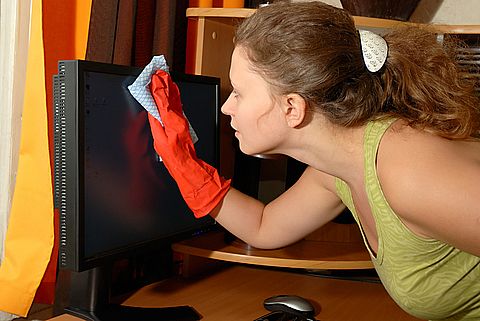
Cleaning your Computer or Electronics Screen

Digital inspiration writes:

The TFT or LCD screen is one of the most expensive component of your notebook or desktop computer and they're very sensitive to dust, fingerprints or even when you cough or sneeze without covering the mouth and nose.

Unlike the standard CRT monitors with Glass screens, you are not advised to clean an LCD Monitor by wiping it with a piece of dry lint-free cloth since the sensitive display is likely to get scratches from dust particles. 

So how do you clean an LCD monitor screen without buying any of those expensive LCD Monitor Cleaner solutions or Monitor Wipes available in the market ? We look at some proper methods and precautions before you clean the monitor [should apply to HDTVs, projection TVs and Plasma TVs as well]


Think of LCD Displays just like the soft and delicate skin of your newborn baby - Be very gentle and never put even the slightest pressure on the computer screen with your hand. 

Second, you need to find a piece of soft cloth - old cotton handkerchiefs lying in your mom's wardrobe should be fine but don't try tissue papers, toilet rolls or even shower towels as the fabric will scratch your screen permanently [like sandpaper or utensil scrubbers]

Either turn the monitor off or set the background to black and hide all the desktop icons and minimize the open windows. This will easily help you identify the dirty areas of the monitor.

To prepare the solution for cleaning LCD monitors, you will need deionized or distilled water and vinegar or iso-propyl alcohol - Don't use tap water or mineral water as they could leave white marks on the screen because of the dissolved salts.

Dilute the vinegar or IPA with distilled water [1:1] and spray this liquid on the cloth. Never ever spray liquid directly onto the LCD screen. Moisten the cloth with this home made LCD cleaner and gently move the wet cloth in just one direction - from top to bottom.

Word of Caution: Be sure that the LCD screen is dry before closing it or using the computer.Do not use any solutions that contain Acetone, ethyl alcohol, toluene, ethyl acid, ammonia, or methyl chloride. Never touch the LCD screen with your fingers as this can cause the pixels to burn out.

Tuesday, June 12, 2012

How to Clean your Computer


Instructions

    • 1
      Check your owner's manual. If the manufacturer has provided specific instructions, follow them.
    • 2
      Get any supplies you might need: a can of compressed air, Endust for Electronics or any household plastic or metal cleaning fluid, a soft brush (such as a paintbrush) and an anti-static rag, plus a dust mask if you're allergic to dust.
    • 3
      Shut down the computer.
    • 4
      Leave the computer plugged into the surge suppressor.
    • 5
      Disconnect all peripherals from the computer.
    • 6
      Remove the computer cover (see your owner's manual for instructions).
    • 7
      Ground yourself to the computer with any professional grounding equipment you have. Otherwise, ground yourself by touching a metal part of the chassis.
    • 8
      Spray compressed air on the fan blades, power supply chassis, drive chassis and circuit boards.
    • 9
      Gently brush off dust that the forced air didn't dislodge.
    • 10
      Brush any remaining dust out from the bottom of the chassis.
    • 11
      Spray Endust for Electronics or another cleaning fluid onto an anti-static rag.
    • 12
      Wipe the inside and outside of the cover thoroughly.
    • 13
      Replace the cover and reconnect the peripherals.
      -ehow

      For even for specific instructions feel free to give At Home Computer A Call!


Saturday, June 9, 2012

What is Adware?

Adware, or advertising-supported software, is any software package which automatically renders advertisements. These advertisements can be in the form of a pop-up. They may also be in the user interface of the software or on a screen presented to the user during the installation process. The object of the Adware is to generate revenue for its author. Adware, by itself, is harmless; however, some adware may come with integrated spyware such as keyloggers and other privacy-invasive software


At Home Computer will remove adware from your computer! Call for quotes and questions. 

Thursday, June 7, 2012

Computer Training

At Home Computer offers one on one computer training and consulting services. Simply call and ask what is available for your needs.


Ever had a question about your computer that you could never find the answer to? Call At Home Computer today!

Wednesday, June 6, 2012

Which Processor is Right for your computer?


High End CPU's - Intel vs AMD

This chart comparing high end CPU's is made using thousands of PerformanceTestbenchmark results and is updated daily. These are the high end AMD and Intel CPUs are typically those found in newer computers. The chart below compares the performance of Intel Xeon CPUs, Intel Core i7 CPUs, AMD Phenom II CPUs and AMD Opterons with multiple cores. Intel processors vs AMD chips - find out which CPU's performance is best for your new gaming rig or server!
to see the full list go to http://www.cpubenchmark.net/high_end_cpus.html and look at processor benmark results.
The results are truly helpful for making your purchasing decision. Contacting At Home Computer Repair can help you decide which processor will work for your computer and whether or not it will fit your needs.

Friday, June 1, 2012

Spyware, Defined!


Spyware is a type of malware (malicious software) installed on computers that collects information about users without their knowledge. The presence of spyware is typically hidden from the user and can be difficult to detect. Spyware is often secretly installed on a user's personal computer without their knowledge. However, some spyware such as keyloggers may be installed by the owner of a shared, corporate, or public computer on purpose in order to intentionally monitor users.
While the term spyware suggests software that monitors a user's computing, the functions of spyware can extend beyond simple monitoring. Spyware can collect almost any type of data, including personal information like Internet surfing habits, user logins, and bank or credit account information. Spyware can also interfere with user control of a computer by installing additional software or redirecting Web browsers. Some spyware can change computer settings, resulting in slow Internet connection speeds, un-authorized changes in browser settings or functionality of other software. 
Do not fret though! There is hope; contact At Home Computer, computer repair in chico,  in order to see if you have been a victim of spyware. Ask what actions are appropriate for ridding yourself of the spyware menace.